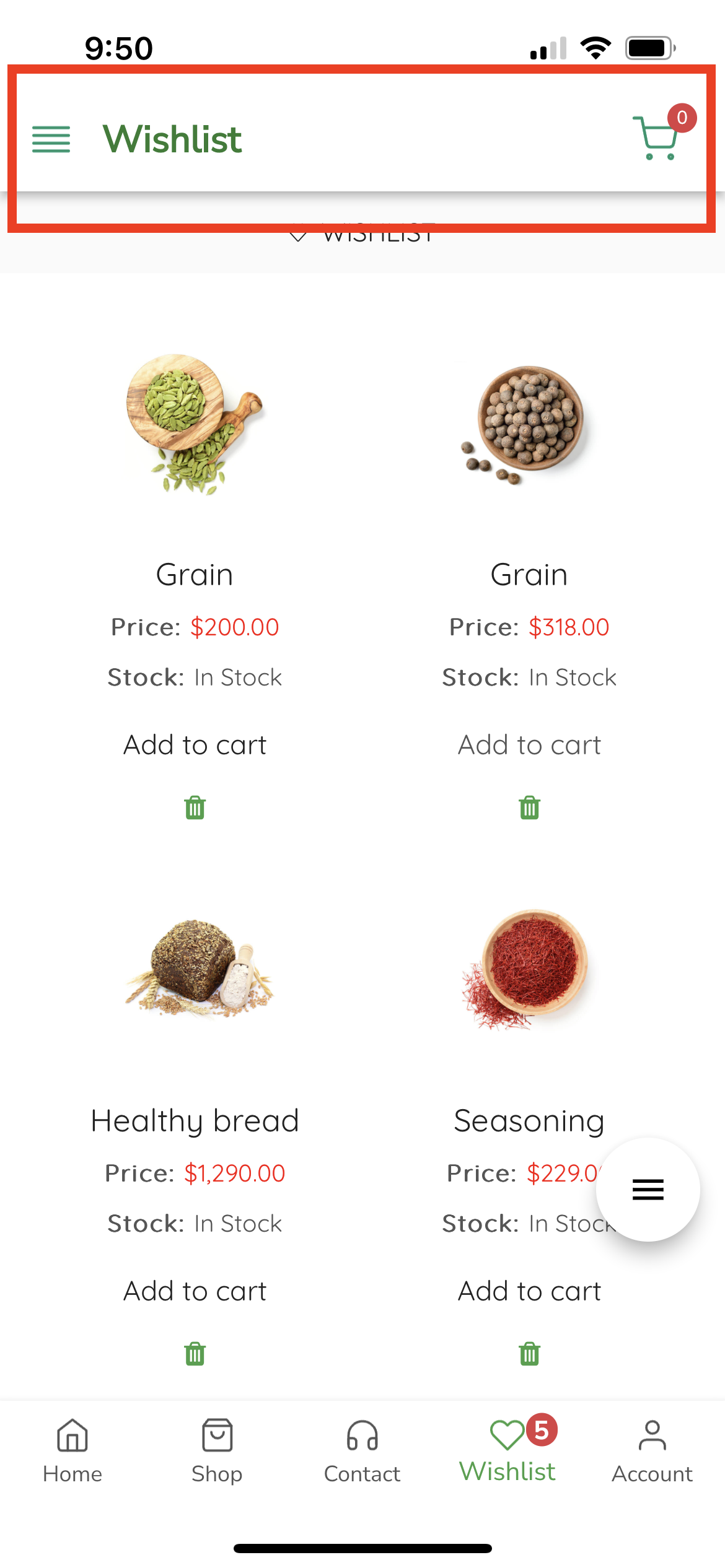
# Navigation Bar Title

<figure><img src="https://3731994945-files.gitbook.io/~/files/v0/b/gitbook-x-prod.appspot.com/o/spaces%2F-MlBy5z08zL1UoCwNqmg%2Fuploads%2FInEQePWSULrq0PKNqkyx%2FScreenshot%202023-07-17%20at%209.31.11%20PM.png?alt=media&#x26;token=da47f61c-b71f-49a2-af99-a0d98a1fb0fe" alt=""><figcaption></figcaption></figure>

### Title Type

You can choose between two type of navigation bar title.

* **Use Tab Title Text:** This option will use Tab title as navigation bar title. It will be a plain text.

<figure><img src="https://3731994945-files.gitbook.io/~/files/v0/b/gitbook-x-prod.appspot.com/o/spaces%2F-MlBy5z08zL1UoCwNqmg%2Fuploads%2Fp99QcKw3rlcZOf41z96q%2FIMG_0600.PNG?alt=media&#x26;token=ba2a90c5-c25d-4982-96ef-1bbdbd0c4d45" alt="" width="188"><figcaption></figcaption></figure>

* **Use Tab Image:** This option will ask you to add image you want to use as a navigation bar title. It will look something like below:&#x20;

<figure><img src="https://3731994945-files.gitbook.io/~/files/v0/b/gitbook-x-prod.appspot.com/o/spaces%2F-MlBy5z08zL1UoCwNqmg%2Fuploads%2F8sNtIapnvXTjwMAW1mKk%2FIMG_0597%20copy%203.PNG?alt=media&#x26;token=fed6d40a-4d16-46c1-ae4e-6289bc5a4be6" alt="" width="188"><figcaption></figcaption></figure>

### Title Position

You can choose between Left or Center.

<div><figure><img src="https://3731994945-files.gitbook.io/~/files/v0/b/gitbook-x-prod.appspot.com/o/spaces%2F-MlBy5z08zL1UoCwNqmg%2Fuploads%2FsBWtaFIX0IV0C93HgGV1%2FIMG_0600.PNG?alt=media&#x26;token=729a0b31-653a-4b01-b8fc-1fceabe3da06" alt="" width="375"><figcaption></figcaption></figure> <figure><img src="https://3731994945-files.gitbook.io/~/files/v0/b/gitbook-x-prod.appspot.com/o/spaces%2F-MlBy5z08zL1UoCwNqmg%2Fuploads%2Fvi26zGQcE5S0OjoZkcy0%2FIMG_0601.PNG?alt=media&#x26;token=e2a45a0d-37a2-41dd-a20a-9eb2668010e9" alt="" width="375"><figcaption></figcaption></figure></div>